Mastering Castle Crashers: Stolen Sun: The Ultimate In-Depth Gameplay & Strategy Guide
Welcome to Castle Crashers: Stolen Sun, a premier title in the Hypercasual catalog at Dunsel engineered for fast, responsive in-browser entertainment. Whether you are playing on a desktop PC, Chromebook, iPad, or Android smartphone, this title provides instantaneous zero-install gameplay powered by modern GPU-accelerated HTML5 Canvas and WebGL pipelines.
Independently tested and verified on dunsel.us (Nov 2026). Sandboxed in modern HTML5 canvas with zero external app downloads, responsive input latency, and full cross-device compatibility.
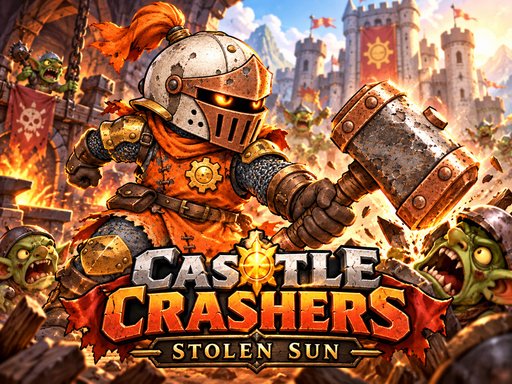
Game Overview: Castle Crashers: Stolen Sun is a colorful 2D fantasy brawler across a kingdom robbed of daylight. Choose an elemental knight and follow 36 story stages with optional routes, lively enemies and boss encounters. Strike, jump and use elemental skills while discovering paths, collecting salvage and improving tools and armor. Checkpoint retries, persistent progress, touch controls and an original lively fantasy soundtrack keep the quest moving.
1. Fundamental Rules, System Mechanics & Key Missions
Adventure awaits in Castle Crashers: Stolen Sun, combining immersive atmospheric world-building with fluid character mobility. Every dungeon, temple, or wild frontier challenges your spatial instincts with layered verticality and environmental puzzle gates.
With immediate checkpointing and zero bloated loading screens, Castle Crashers: Stolen Sun keeps the thrill of discovery alive from the opening moments to the climactic final stage.
2. Universal Keybindings & Touchscreen Play Guide
WASD arrows move J left click strike combo K right click skill Space jump Esc P options M mute Clear guards hit red levers and reach exits Mobile movement Jump Skill and Strike buttons
- Keyboard & Mouse: Use left-click to interact with menus and controls; directional keys (WASD or Arrow Keys) provide sub-millisecond precision maneuvering.
- Touchscreen Displays: Tap, swipe, and drag on the interactive display canvas with multi-touch responsiveness tailored for iOS and Android web browsers.
3. 5 Critical Tactical Tips to Dominate Every Session
- Analyze Level Geometry: Study upcoming obstacles before committing your primary move to avoid getting boxed into hazard corners.
- Maintain Steady Cadence: Rushing inputs often leads to collision penalties; deliberate timing yields significantly higher combo multipliers.
- Optimize Power-Up Timing: Reserve utility items or speed boosts for high-density obstacle waves to maximize stage clear ratings.
4. Progression Loops, Rewards & Replay Value
Beyond clearing the main quest campaign, Castle Crashers: Stolen Sun is packed with hidden lore tomes, optional time-trial speedrun paths, and collectible ancient artifacts scattered throughout dangerous environments.
Mastering alternate movement shortcuts and achieving 100% completion ratings across every territory provides rich satisfaction for platforming and adventure purists.
5. Player FAQ: Common Questions & Answers
- Is Castle Crashers: Stolen Sun completely free to play?
- Yes, Castle Crashers: Stolen Sun is 100% free to access in your web browser with no download fees, paywalls, or mandatory account registration required.
- Can I play on both mobile and desktop?
- Yes, Castle Crashers: Stolen Sun automatically adjusts its viewport and control listeners to provide seamless play across desktop PCs, laptops, tablets, and smartphones.
Quick Controls Guide
WASD arrows move J left click strike combo K right click skill Space jump Esc P options M mute Clear guards hit red levers and reach exits Mobile movement Jump Skill and Strike buttons